The new, unified Microsoft Planner brings tasks, projects, and an AI assistant together in one interface and looks compelling at first glance. But a closer look quickly reveals tiered licensing, additional costs for the Copilot assistant, and discontinued features such as calendar synchronization. Teams that want to work productively instead of navigating complex licensing models are looking for alternatives. Which tool can replace Microsoft Planner without forcing new compromises?
The essentials at a glance
- License fragmentation: Premium features such as Gantt charts and resource management cost extra with Microsoft Planner, while the Planner Agent's AI features require a separate Microsoft 365 Copilot license.
- Features removed during the transition: As part of the consolidation of To Do, Planner, and Project, Microsoft discontinued the iCalendar feed without a replacement and also removed the Whiteboard integration.
- Five alternatives reviewed: From German project management software to international all-rounders, this comparison highlights real strengths and weaknesses rather than marketing promises.
- Stackfield as an alternative: Stackfield combines project management, team communication, and true end-to-end encryption in one solution.
One tool for tasks, communication, and security Stackfield combines project management, team chat, video conferencing, and true end-to-end encryption in one platform, without separate add-on licenses for individual features.
Get started with an all-in-one solution
Where does Microsoft Planner reach its limits?
The basic features of Microsoft Planner are included in most Microsoft 365 Business and Enterprise plans. However, as soon as a team needs more advanced functionality, an additional license is quickly required:
- Advanced views such as Timeline, People, and Goals require a Planner Plan 1 license
- The full task view requires a Plan 3 license
- The AI features of Planner Agent are not included in the basic package and require a separate Microsoft 365 Copilot license
The transition to the new Planner has also resulted in established features being removed:
- The iCalendar feed was discontinued without a replacement, meaning synchronization with Outlook or Google Calendar is no longer possible
- The direct Whiteboard integration was removed
As recently as March 2026, Microsoft renamed the underlying agent from Project Manager to Planner Agent and rolled it out more broadly, highlighting how much the feature set is still evolving. In practice, this means that many teams face costs spread across multiple license tiers and add-on products instead of having everything covered by a single, predictable price.
The 5 best Microsoft Planner alternatives at a glance
| Criterion |
Stackfield |
ClickUp |
Trello |
factro |
MeisterTask |
| Portfolio management |
✔ |
✔ |
✖ |
✔ |
✖ |
| Group chat & direct messages |
✔ |
✔ |
✖ |
✖ |
✖ |
| Audio & video conferencing |
✔ |
✔ |
✖ |
✖ |
✖ |
| True end-to-end encryption |
✔ |
✖ |
✖ |
✖ |
✖ |
| Data hosting exclusively in DE/EU |
✔ |
✖ |
✖ |
✔ |
✖ |
| Support in German |
✔ |
✖ |
✖ |
✔ |
✔ |
Legend:
✔ = available
✖ = not available
Stackfield: Project management with integrated communication
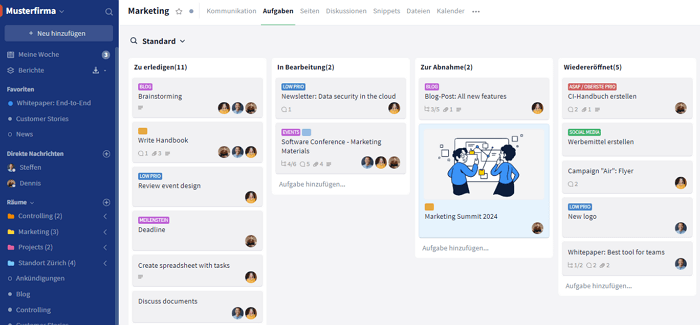
Stackfield combines task management, Gantt charts, portfolio management, PERT, and team communication in one platform. Compared to Microsoft Planner, Stackfield includes integrated chat, video, and whiteboards without requiring an additional tool, while Planner does not offer true end-to-end encryption.
Strengths:
- Gantt charts, Kanban boards, and portfolio management in one solution
- Integrated audio and video conferencing from the Premium plan onwards
- True end-to-end encryption and data hosting exclusively in Germany and the EU
- Content such as tasks is closely connected to the other modules. Information is centralized, and relationships are clearly displayed.
Limitations:
- Minimum of five users required
Best suited for: Teams that want project management, communication, and true security without compromise in one solution.
Pricing: Starter from €9 per user per month (chat, tasks, Gantt); video conferencing from the Premium plan at €18 per user per month. Both require a minimum of five users and include a free 14-day trial.
ClickUp: Views and automations for project teams
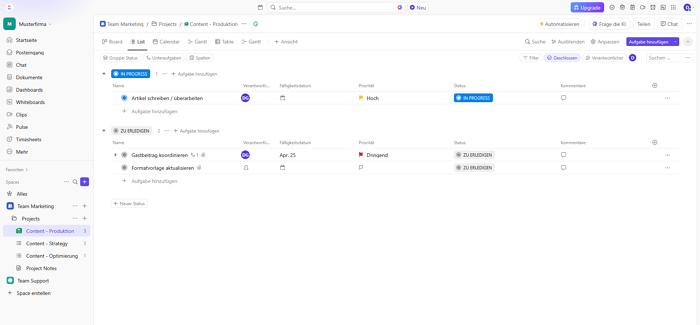
ClickUp offers numerous view options and automations for teams that want to customize their workflows. Compared to Microsoft Planner, ClickUp provides more native views and automations, but like Planner, it does not offer true end-to-end encryption.
Strengths:
- Extensive automations and portfolio management
- Integrated group chat and video conferencing
- Gantt, Kanban, and list views in one platform
Limitations:
- Company is not headquartered in Germany or the EU
- No German-language support
Best suited for: Teams looking for extensive customization options that are comfortable using a provider headquartered in the US.
Pricing: Unlimited plan from $7 per user per month, billed annually.
Trello: Kanban board for small teams
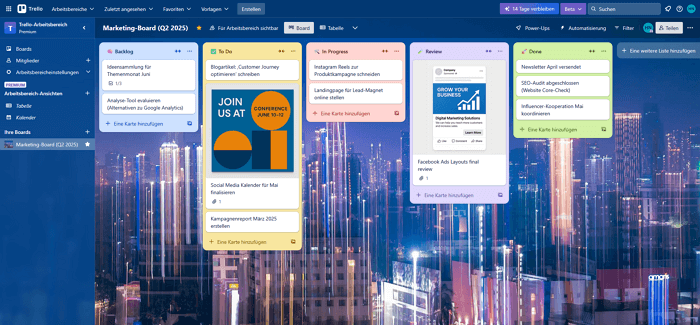
Trello focuses on Kanban boards and is suitable for teams with straightforward project structures. Compared to Microsoft Planner, Trello offers Kanban, list, and Gantt views, but no workflows, while Planner provides more automation in this area.
Strengths:
- Kanban boards as the central working view
- Power-Ups available for specific use cases
Limitations:
- Company is not headquartered in Germany or the EU
- No German-language support
- No workflows
Best suited for: Small teams looking to switch from Planner to an even simpler board-based interface.
Pricing: Standard plan from $5 per user per month, billed annually.
factro: German project management software
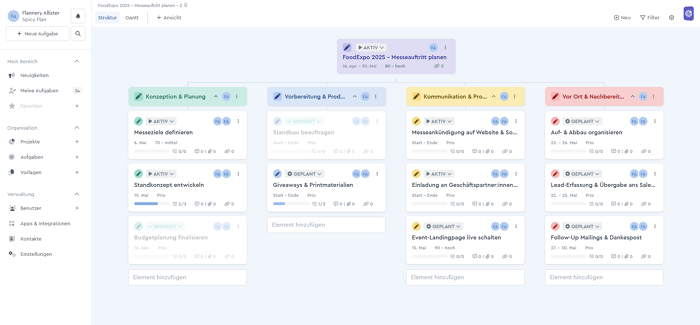
Factro is project management software developed in Germany with a focus on task and portfolio management. Compared to Microsoft Planner, factro offers German data hosting and German-language support, but does not include integrated chat or video conferencing.
Strengths:
- Portfolio management in the Business plan
- Support in German
- Data hosting exclusively in Germany and the EU
Limitations:
- No group chat
- No video conferencing
- Time tracking only included in the higher-tier Professional plan
Best suited for: Teams looking for pure project management without communication features.
Pricing: Business plan from €19.99 per user per month, with a minimum of three users.
MeisterTask: Task management with a Kanban focus
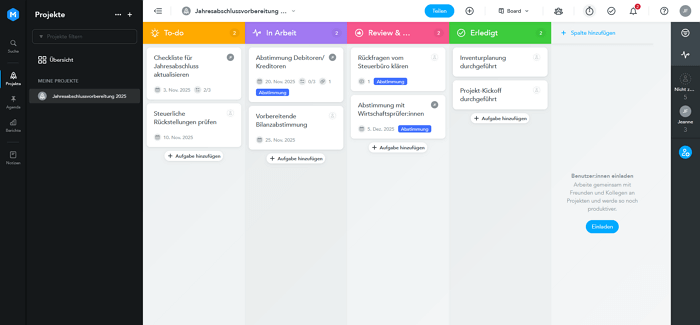
MeisterTask uses a visual Kanban interface and is designed for teams with straightforward projects. Compared to Microsoft Planner, MeisterTask offers European data hosting but does not provide portfolio management for managing multiple projects simultaneously.
Strengths:
- Data hosting exclusively in Germany and the EU
- Support in German
- Time tracking
Limitations:
- No portfolio management
- No native communication features
Best suited for: Smaller teams looking to switch from Planner to a visual solution hosted in Europe.
Pricing: Pro plan from €13.50 per user per month.
Expert tip: Before switching, export all existing Planner boards, including deadlines and responsibilities, as the discontinued iCalendar feed means that dates will not automatically carry over to a new solution. Start by setting up only active projects in the new platform rather than migrating the entire archive. This keeps onboarding time to a minimum. With Stackfield, a dedicated Customer Success contact helps you structure your existing boards into rooms and task lists, allowing you to complete the switch within just a few days.
What matters when choosing the right Microsoft Planner alternative?
Before choosing an alternative, it is worth looking at the criteria that actually make a difference in day-to-day project work. The following four points help you compare tools based not only on appearance, but on their actual range of features and security.
Broad functionality without stacked licenses:
Check whether task management, Gantt charts, and portfolio management are already included in the base price instead of being spread across multiple add-on licenses. This is exactly what drives up the actual cost of Microsoft Planner, especially when AI features are added.
Data hosting and certifications:
If data protection matters, take a closer look at certifications such as ISO 27001 or BSI C5, as well as where the data is actually stored. Not every provider that promotes its security credentials meets both criteria at the same time.
Integrated communication:
A tool with built-in chat and video conferencing eliminates the need for additional providers and reduces integration issues between multiple applications. This also has a direct impact on the time it takes to onboard new team members.
Migration effort:
Look for simple data export options, a short onboarding period, and German-language support to ensure a smooth transition. Having a dedicated contact person can often make all the difference.
Stackfield: The smart Microsoft Planner alternative for teams that don't want to compromise
Microsoft Planner covers the basic features, but as requirements increase, it can quickly turn into a licensing puzzle involving multiple add-on products. Teams looking for an alternative today therefore consider not only the range of features, but also how many additional tools and licenses they will actually need in their day-to-day work.
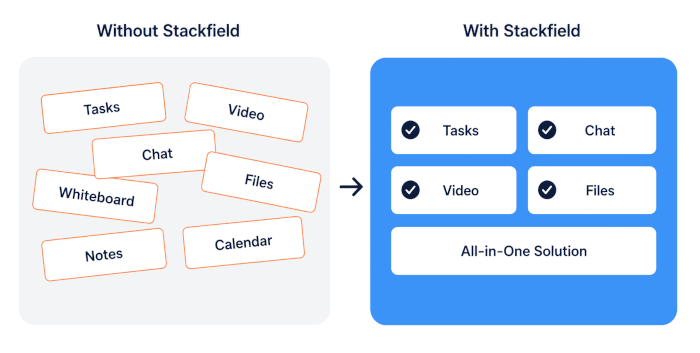
Stackfield brings project management, team communication, and true end-to-end encryption together in a single platform, without forcing teams to choose between security and functionality. For teams looking for a Microsoft Planner alternative with predictable pricing and data hosting in Germany, this is exactly where switching starts to make sense.
Everything in one place, truly encrypted Stackfield combines tasks, chat, video, and true end-to-end encryption in one platform, so you don't need another tool for your projects. Try it free for 14 days and see whether this no-compromise feature set is the right fit for your team.
Try Stackfield now
FAQ
How do I migrate existing Planner boards to an alternative?
Export your tasks, deadlines, and responsibilities before switching, as Microsoft Planner no longer supports iCalendar synchronization and due dates may otherwise need to be transferred manually. With Stackfield, dedicated Customer Success support helps you set up your projects step by step using rooms and task lists, ensuring that no data is lost and your team can continue working without a lengthy onboarding process.
Which Microsoft Planner alternative is suitable for government agencies and the public sector?
Among the alternatives presented here, Stackfield is the only solution for government agencies and the public sector that combines a BSI C5 attestation, ISO 27001 certification, and data hosting exclusively in Germany. Neither ClickUp nor Trello is headquartered in Germany or the EU, while factro and MeisterTask do not offer true end-to-end encryption. This makes Stackfield particularly relevant for organizations that treat digital sovereignty and GDPR compliance as strategic requirements.
How secure is my data with Stackfield compared to Microsoft Planner?
Stackfield uses true end-to-end encryption, meaning that not even Stackfield itself can access the data. The platform is ISO 27001 certified and BSI C5 attested, with servers located in Germany and subject to German law. Microsoft Planner, by contrast, does not offer true end-to-end encryption. For teams with high security requirements or strict GDPR requirements, this difference is often a decisive factor when choosing a tool.
What happens to my Planner data after support for features such as iCalendar sync ends?
Existing tasks remain available in Microsoft Planner, but automatic synchronization with external calendars such as Outlook or Google Calendar no longer works. According to Microsoft, no direct replacement is planned, meaning appointments and deadlines must be transferred manually to the respective calendars. Teams managing large numbers of tasks with fixed due dates should factor in this additional effort before starting their next project to avoid missing deadlines.
At what team size is it worth switching from Microsoft Planner to a specialized tool?
For teams of around five users or more, a specialized tool such as Stackfield can often be worthwhile because licensing costs and functionality are easier to calculate than with tiered Microsoft plans and separate add-on licenses for premium views or AI features. Smaller teams with fewer than five users may prefer more lightweight Kanban tools such as Trello, depending on their needs. With Stackfield, dedicated support also helps keep the migration effort manageable.