About Seniorenstift Ludwigsburg
mC Seniorenstift Ludwigsburg gGmbH is a nonprofit retirement facility in Ludwigsburg in the center of Baden-Württemberg, Germany, and offers assisted living with a variety of one- and two-bedroom apartments, its own home care service, and two nursing units for residents requiring care. Among other things, the retirement home provides a property spanning over 16,000 square meters located near Baroque palace gardens, a customized recreational program that includes dance events, French classes, and water aerobics, its own on-site shop, and a reliable support system to its approximately 250 residents.
Christian Kühne is one of two managing directors at mC Seniorenstift Ludwigsburg and has been running the retirement home for over 20 years. The well-being of the residents is particularly close to his heart. We place great importance on running the retirement home as a nonprofit,
emphasizes Christian Kühne.
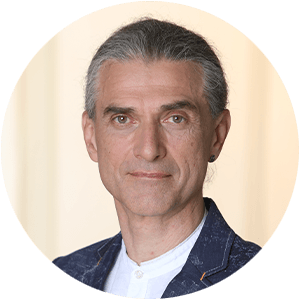
Christian Kühne – Managing Director
Without project and task management in place
With around 160 employees on staff, the retirement home faces a heavy workload every day. Before Stackfields was introduced in 2019, there was no tool available to manage to-do lists or share information across teams, which led to a series of minor but persistent problems.
Previously, email had been the primary means of communication, however, most of this communication was one-on-one, which often led to a lack of transparency for team members who were not included in these emails. In addition, team members frequently had to search for information, as one's own inbox neither organizes information for one's own use nor provides a clear overview. Without a tool that allows certain things to be tracked in the context of project management,
there was often a lack of clarity regarding one’s own status as well as the current status of others, says Christian Kühne. For him, this was particularly relevant, as he works in a hybrid capacity and, as a civil engineer, also runs a small engineering firm through which he managed projects in the healthcare sector.
I’m very organized and I simply need a tool. I don’t want to write up meeting minutes that nobody reads or not until five minutes before the next meeting. I’ve always been interested in systems that feel alive and show you where you stand, which documents are important, and so on. And we didn’t really have anything like that.
Stackfield came to the retirement home’s attention during its search for a document management system that was primarily intended for invoice processing. Christian Kühne explains: Stackfield was a byproduct of that search. […] My wife made me aware of Stackfield back then because she knew I was interested in such solutions, especially since it was a Munich-based company. And then we decided to give it a try.
Managing personal tasks and appointments in Stackfield
Once the decision had been made to go with Stackfield, Christian Kühne got started with his personal organization, as he had long been looking for a tool to help him manage his own tasks. I’m an executive, a janitor, a jack-of-all-trades, and a technician all rolled into one, so I don’t have huge projects, just a whole lot of little things.
To bring more organization to this, he focused primarily on tasks and appointments, which he created in Stackfield’s rooms based on topic. Tasks can be dated, broken down into steps, and tagged with various pieces of information, such as a status. The current status of a task is thus visible at a glance, as needed, via the Kanban board or, alternatively, in a list view or directly within the task card. Files and documents can also be attached directly to the task and thus linked to the to-do, which makes it even faster to find information.
In addition, Christian Kühne displays his tasks alongside his appointments in the Stackfield calendar. The corresponding view is imported into Outlook via a calendar subscription. It’s important to me that I can create summaries from different perspectives. That way, I can keep an eye on everything,
he emphasizes. For him, Stackfield is now indispensable, especially for self-organization; all work steps and relevant information are documented and organized there.
I use Stackfield excessively. I’m sure I had at least 20 rooms right from the start. Today, I couldn’t function without it.
Renovation of the in-house care facility: Organizing projects in Stackfield
Today, Stackfield is used almost universally at Seniorenstift Ludwigsburg, whether for occupational safety, care documentation, or project work. Basically, all departments within the facility use Stackfield for task assignment or for managing documents.
One project currently underway at the senior care facility with Stackfield’s help is the renovation of the care unit. A dedicated room was created in Stackfield for this purpose, and all involved parties were integrated, including a participating external architectural firm. In such cases, Christian Kühne places great importance on ensuring that all stakeholders have access to relevant information and that the current status is visible at all times. To guarantee this access, all relevant documents and deadlines are stored in the room during the renovation. This includes the minutes of construction meetings, various types of documentation, the regular site inspections by the safety and health coordinator, and the construction logs of the respective companies,
says Christian Kühne. The current status is thus visible at all times, and uploaded documents or deadlines can be commented on or supplemented with additional information as needed.
Another feature that Christian Kühne particularly appreciates in this context is versioning. I’ve always been a big fan of versioning. Ever since the DOS days, I’ve been in the habit of saving a document under a new name whenever I make changes, so I can still access the old version. I really liked this versioning of documents in Stackfield right from the start.
Users who access a document can immediately see the current version and know exactly which version it is. If needed, old versions can also be accessed at any time to review previous states. In my opinion, this is a very valuable feature,
says Christian Kühne.
Making information visible across departmental boundaries
In numerous areas of the senior residence, Stackfield is also used across departmental boundaries. Information on topics such as occupational safety or disaster preparedness, for example, is shared with the entire facility via Stackfield. In this way, Stackfield serves as an interface between departments, and information can be accessed regardless of internal organizational structures. The management team, comprising the heads of the individual departments, also uses a dedicated room within Stackfield to organize and structure joint decision-making and schedule coordination. For the front desk, Stackfield additionally serves as a communication tool to relay important information to the rest of the staff. Visitors, family members, and residents first stop by the front desk. The most important messages are recorded in Stackfield, and all departments that need to know about the message get direct access to it,
explains Christian Kühne.
Stackfield instead of email: Importing emails as tasks and managing them in Stackfield
Prior to Stackfield, the main challenge for Christian Kühne and his team was tracking down information, since their personal email inboxes offered only limited capabilities for finding information, especially regarding the work of others. The main problem used to be bilateral communication. On top of that, if you wanted to find an old email, you first had to think about exactly when you had received it. Very few people know about or use the search function in Outlook, and unfortunately, the search is also quite opaque,
explains Christian Kühne. With Stackfield’s help, information is now clearly grouped by topic and accessible to every user with just a few clicks. The global search and the module search within the room provide additional options for searching by keywords, and the filters allow users to customize views entirely according to their own preferences.
Since emails cannot always be avoided, Christian Kühne also relies on Stackfield's email integration. If I’m writing a group email, I can at least CC the relevant Stackfield room,
he explains. The email is then automatically forwarded to the room and created as a task, including the email's content and attachments. After that, the task can be worked on just like any other. This way, I can connect the two worlds,
says Christian Kühne.
Protecting sensitive data with Stackfield's end-to-end encryption
Especially when it comes to handling sensitive data from applicants, staff, or residents, data security is a top priority at the senior residence. Christian Kühne explains: When people apply for a job, I can’t just send their application around via email. Stackfield plays a central role here. Our HR manager knows that when she hires someone for a technical or cleaning position, the respective staff member of the management team is to be notified so that they are able to review the application. This entire process takes place exclusively in Stackfield.
Also, in outpatient care services, messages about patients, for example, regarding doctor’s visits, are sometimes exchanged in encrypted rooms. In this regard, Christian Kühne emphasizes that he does not want any messages sent via WhatsApp within the facility. If necessary, this can be done through direct messages in Stackfield.
In addition to private chats, direct messages allow for the creation of topic-specific group chats, enabling information to be shared within the team.
In the future, Christian Kühne plans to continue rolling out Stackfield. He wants the retirement home to evolve alongside Stackfield and invite even more departments and residents to join the system. We’re determined to keep expanding Stackfield. We want to explore training opportunities, bring even more people on board, and open the system up to the outside world.